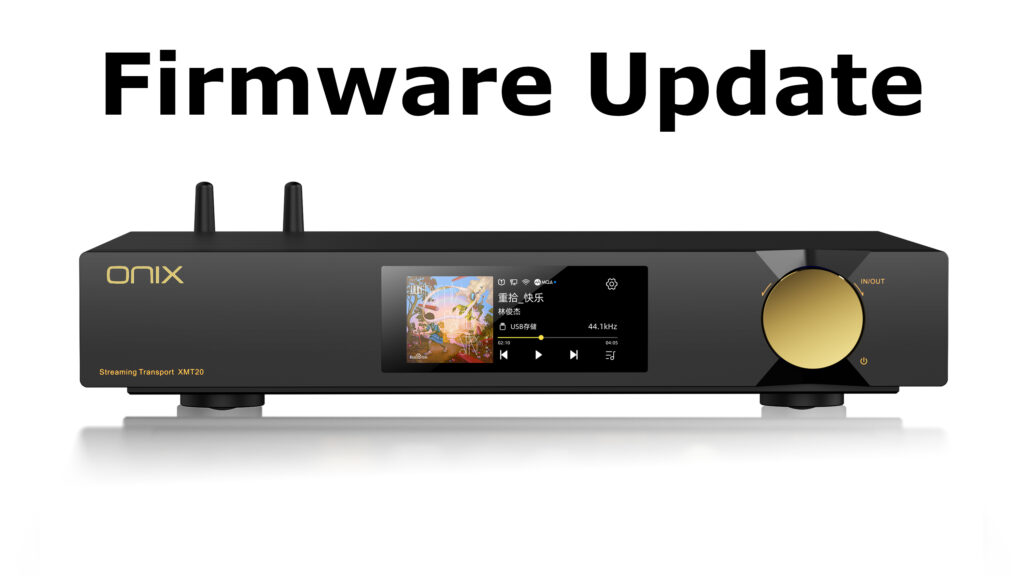

Learn More about ONIX XMT20 Streamer Transport
–
ONIX XMT20 Firmware V1.38
Download update file from Google Drive
Update Notes ONIX XMT20 V1.38:
- Added support of Apple Music*
Only available through Eddict Controller app
Demands app version iOS V2.05 or higher // Android V2.0.24 or higher
Currently not available for iPad versions - Other smaller optimizations.
–
* Due to limitations put in place by Apple, the streaming supports only 16 bit 44.1 or 48 kHz streaming. Hi-Res streaming is not available. Please use Tidal or Qobuz for proper Hi-Res streaming.
–
How to update XMT20 – Manual Update
- Unzip the downloaded file and copy the “update.tar” file to the Root /Main Folder of a USB drive. DO NOT unzip the “update.tar” file.
- Insert the USB drive to the “USB AUDIO” port on XMT20
- Go to System Settings on XMT20 – System Update
- Choose “Local Update” and confirm update by clicking on “Enter”
- Wait for the system to automatically update and restart. Process should take about 3 minutes, please do not operate device while updating.
–
How to update XMT20 – Over-the-Air Update
- Make sure your unit is connected to internet
- Insert a USB drive to the rear port of XMT20. Drive needs to have at minimum 1GB of free space
- Go to System Settings on XMT20 – System Update
- Choose “Network Update” and confirm update by clicking on “Enter”
- Wait for the system to automatically update and restart. Process should take about 3 minutes, please do not operate device while updating.